GENI · Super Intelligence Operating System
// Desktop
GENI on your own computer.
Install it, talk to it, and it gets to work on the machine you already use. Your data stays on your computer, and you bring the AI you trust.
// On your computerset up in one conversation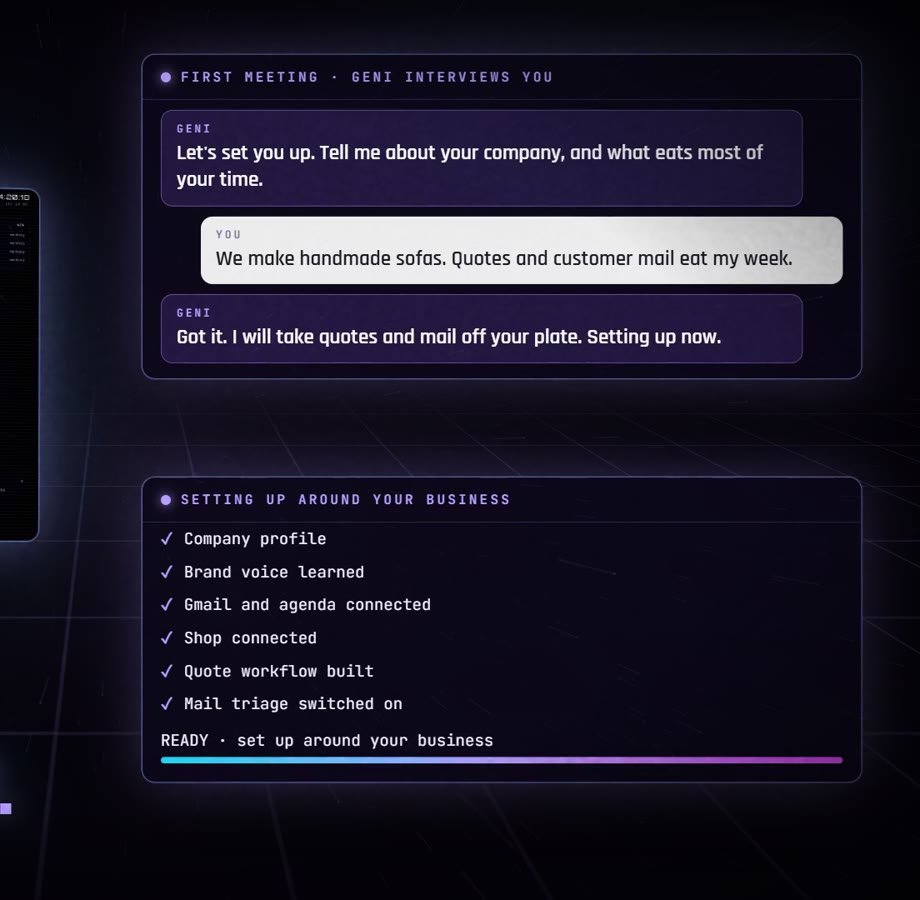
What you get
- Talk to it. It answers in its own voice, and you can interrupt and redirect it in the middle of a job.
- It uses your computer. With your permission it opens your programs, clicks, types, saves and sends, working the buttons by name.
- Its own browser. You log in once and it stays logged in to your accounts. Your password never reaches GENI.
- A team that works with it. A Builder, a Researcher, a Writer and a Watcher, several jobs at once.
- Show it once. Do a task one time while it watches, and it runs it from then on.
- Work that starts on its own. A new file in a folder, a new mail, a time of day: it picks it up.
- Mail sorted, replies ready. Leads, customers and support each get a drafted answer. You send it.
- Documents. Word and Excel with a backup first, and scanned PDFs it can read.
- A memory that stays. It remembers your decisions and the reasons, and one correction is enough.
- On your phone. An app and chat with voice notes, and approvals with one tap.
Good to know
- It works while your computer is on. When it sleeps or shuts down, GENI waits until you are back. For a GENI that never stops, choose Self-hosted or Hosted.
- It cannot call your phone. Calls need a GENI that is always on.
- The phone app and chat reach GENI while your computer is on.
- You bring the brain: your own AI account, the subscription you already have, or a free model on your machine.
Licence
- 12 months: every update of that year. Renew to keep going.
- Lifetime: this version is yours for good, with every update in the first 12 months.
- Security updates for every valid licence. One licence per computer.
The full terms in plain words are on the licence page.